Travel map
From cities to journeys, see where you’ve been
The map shows city coverage and stay intensity. Open full screen to review range and movement at a glance.
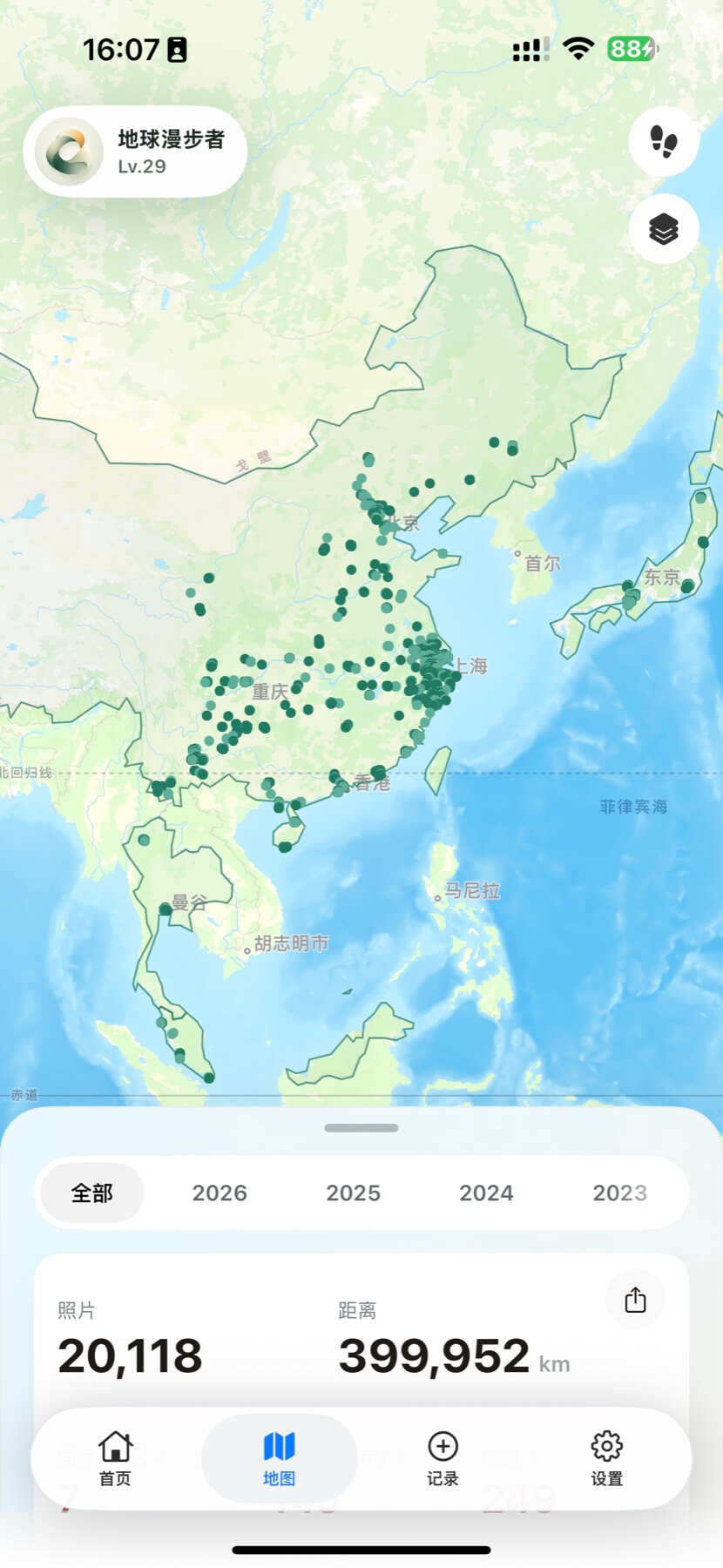
Photo-powered travel archive
Grant photo access and CJourney reads time and location from your library to build a travel map, place archive, and achievements. No manual journaling—let your photos tell where you’ve been.
Preview of CJourney map and trip replay screens
Core features
From maps to places, trip replays to stats—one footprint, many ways to look back.
Travel map
The map shows city coverage and stay intensity. Open full screen to review range and movement at a glance.
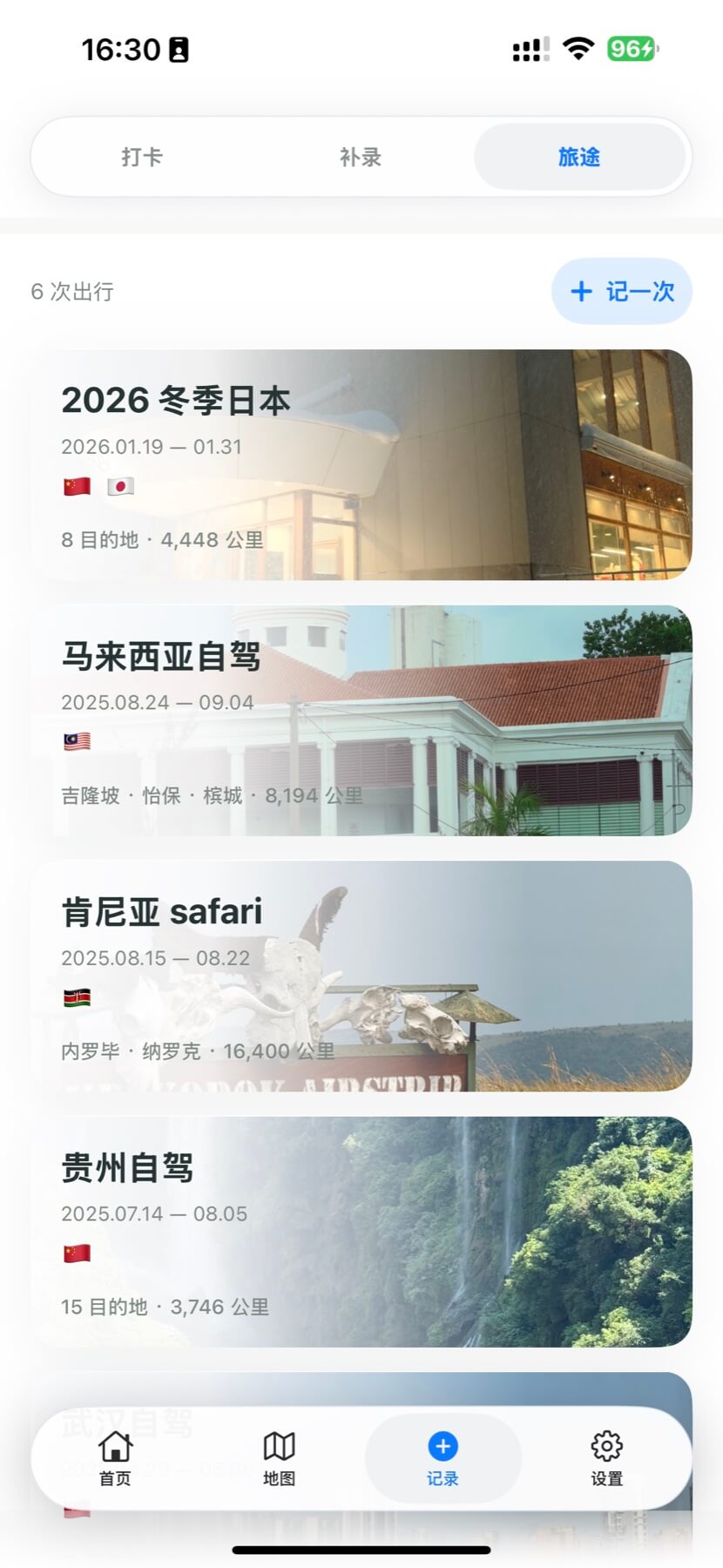
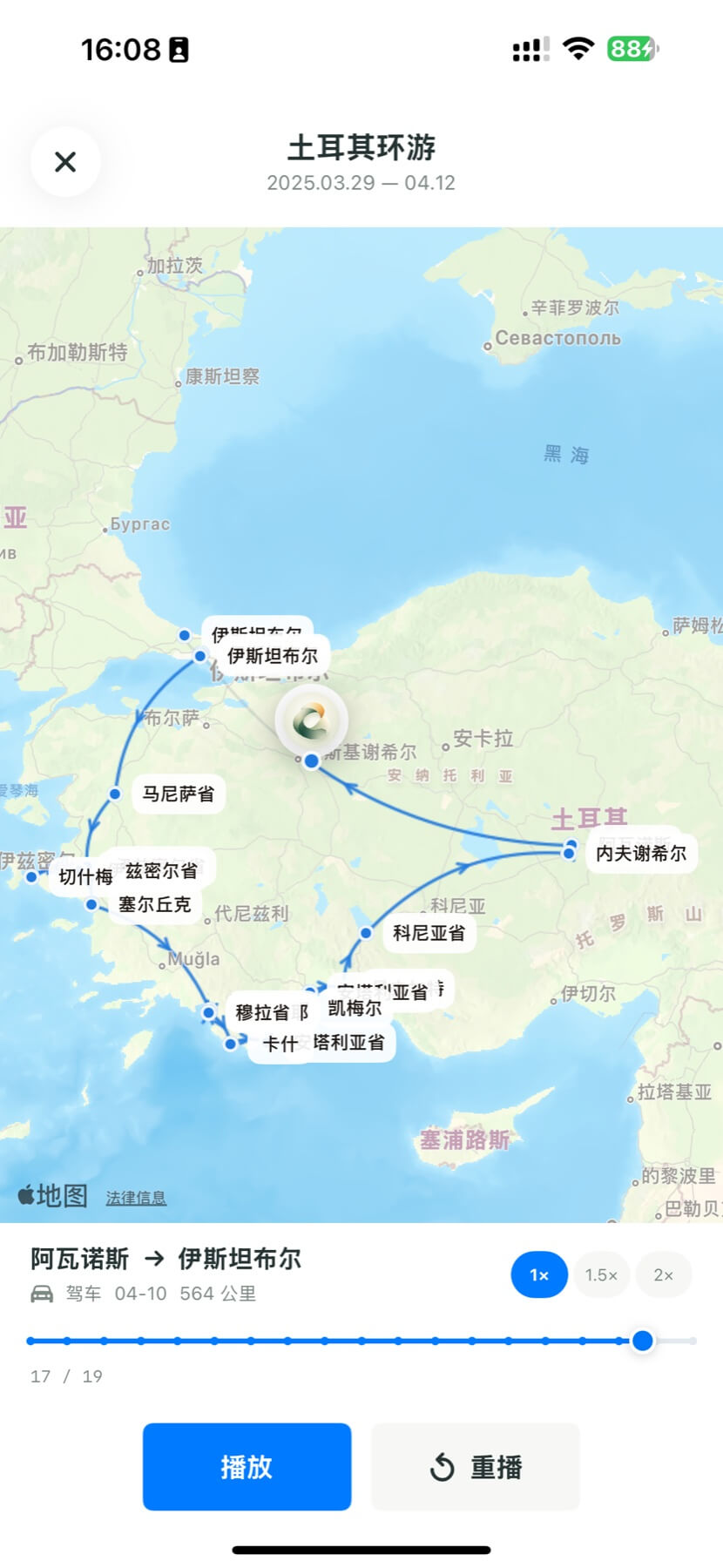
Trip replay
Routes and cities link by time, with path playback. Turn loose photos into a trip you can walk through again.
Place archive
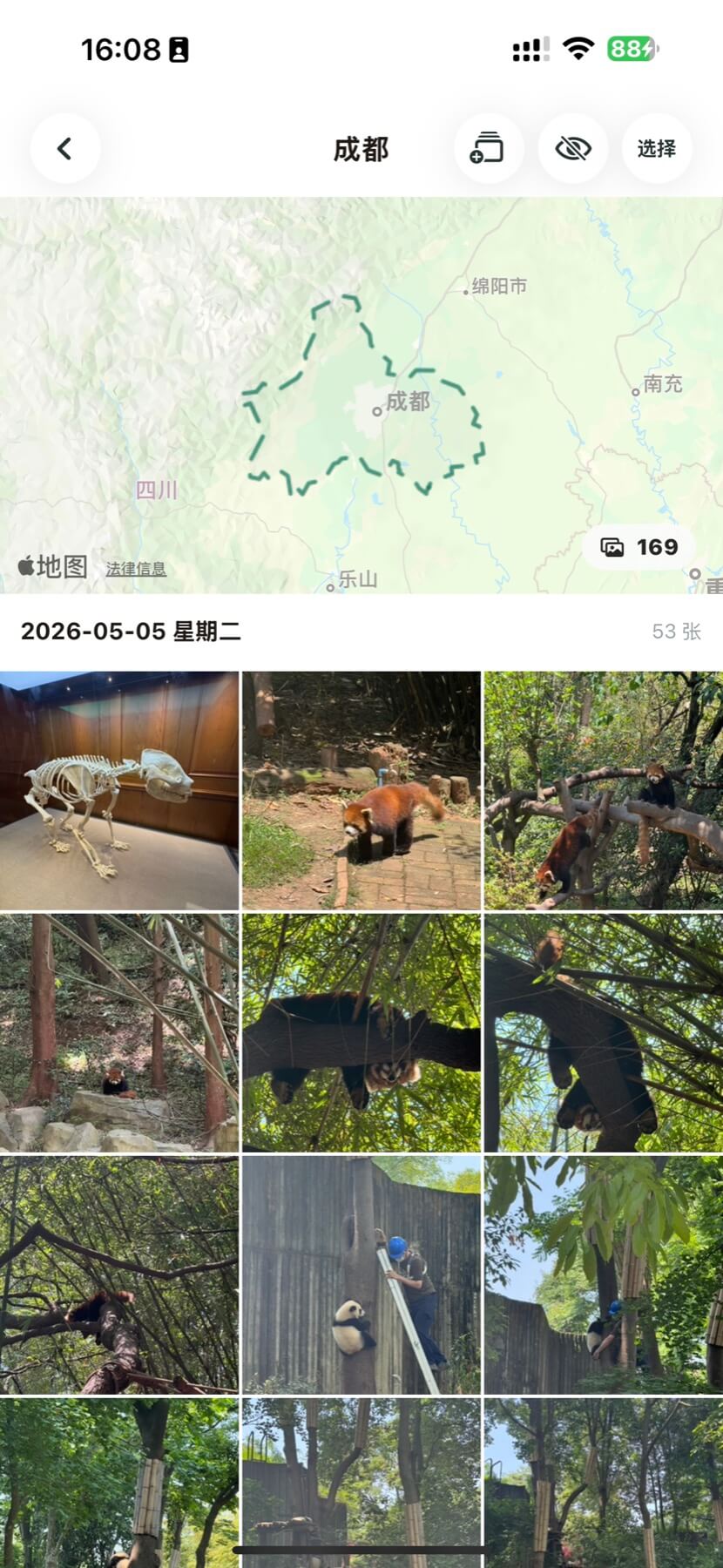
Countries, cities, sights, and photos are classified for you, so memories are easy to find again.
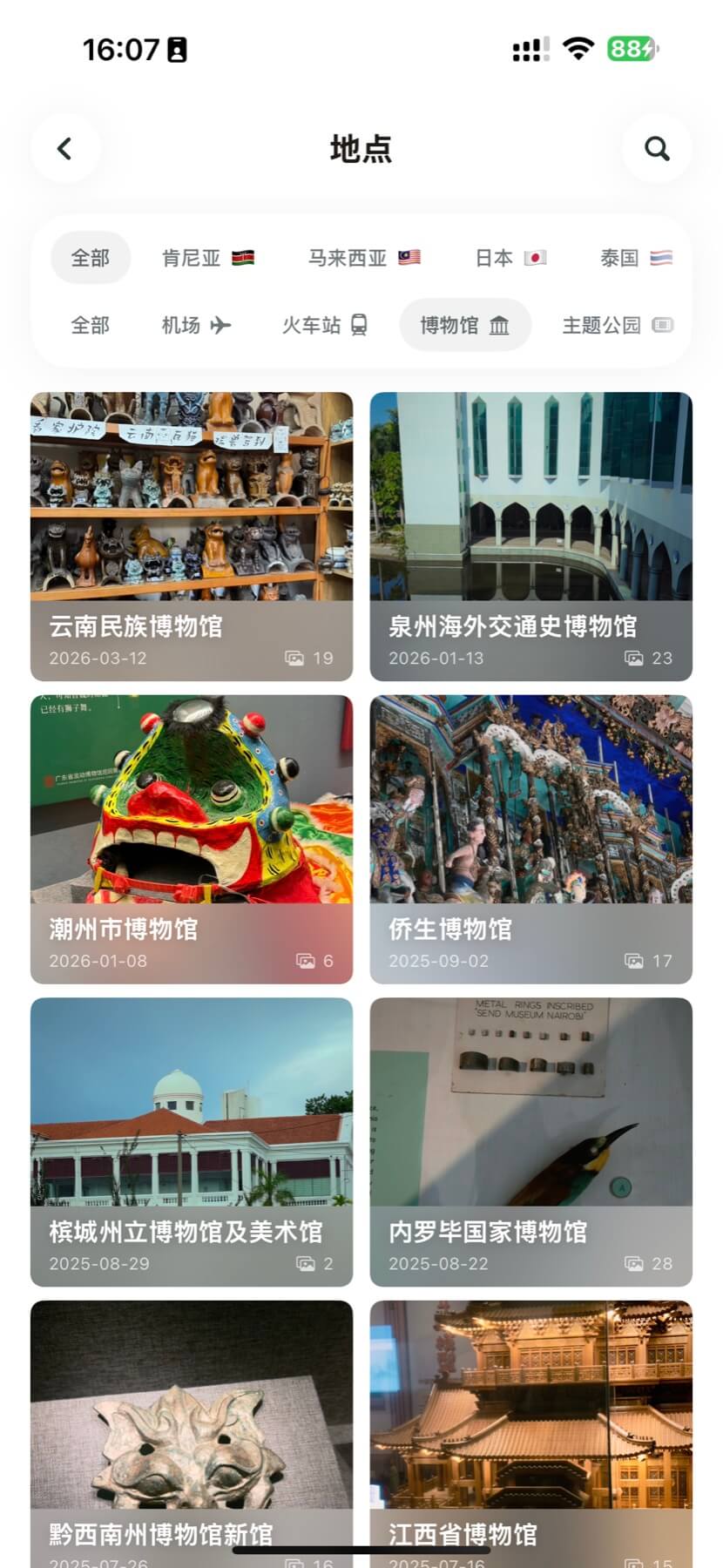
Photo memories
Browse by time, city, or map. No more endless scrolling—each place lines up with its photos.
Travel stats
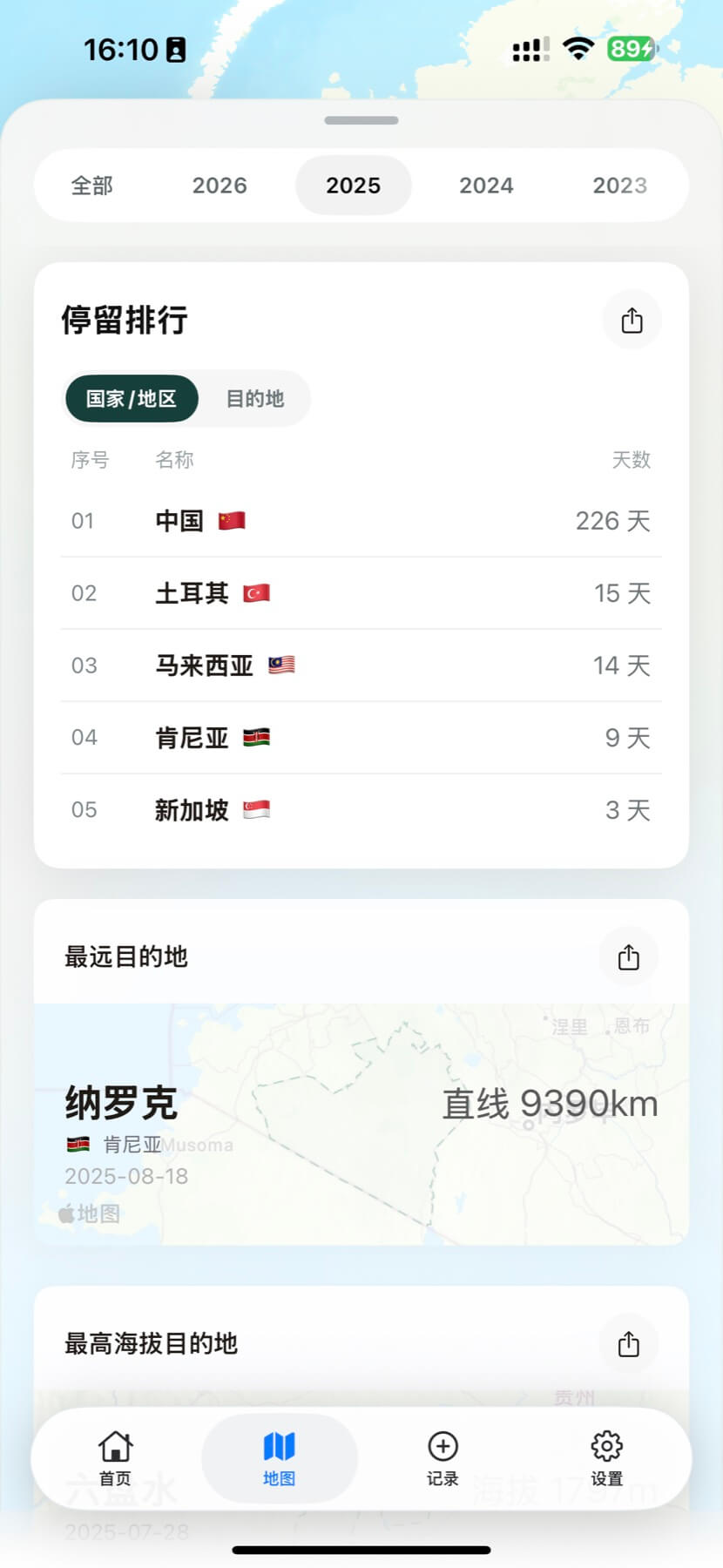
Countries, places, distance, and stay rankings on a single screen. Switch years or view all time.
How it works
Once access is granted, CJourney can read capture time and location.
No manual sorting—photos are processed and turned into your footprint.
Usually ready in tens of seconds. Then explore on the map and in stats.
More than auto-organize
Map preview with current time, place, and altitude. One tap for “I was here.”
Optionally back up your app data snapshot to your iCloud container for peace of mind across devices.
Privacy
To recognize places, photo coordinates are sent to CJourney services for geocoding. The archive stays on your device whenever possible.
Contact: dust@relative-path.cc
Download
Free on iPhone.
If this page is open in WeChat, the store link may not open. Use Safari.